Appearance
Screen Grabbin'
Capture. Mark. Automate. Move on.
Overview
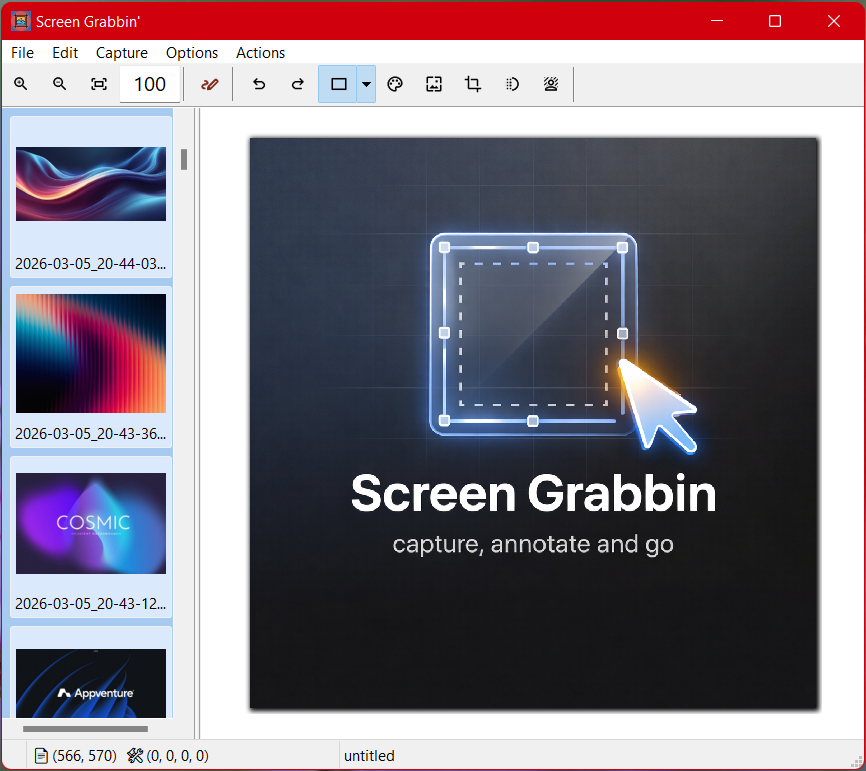
Screen Grabbin' is a fast, native Windows screen capture tool designed for people who work with visuals all day. Whether you're documenting software, collecting reference images, creating tutorials, or reporting bugs, it helps you capture and annotate screenshots quickly without interrupting your workflow.
Unlike traditional screenshot tools, Screen Grabbin' keeps everything in one place. Capture your screen, mark it up with annotations, adjust the image, and immediately continue working. Every capture is automatically cached so nothing is lost and everything is easy to revisit later.
Built for Speed
Screen Grabbin' is a lightweight native Windows application with no heavy runtimes or external dependencies. It launches instantly and stays out of your way so you can focus on getting things done.
Powerful Annotation and Editing
Add arrows, text, highlights, and shapes to explain exactly what you need. Resize, crop, adjust image properties, and prepare screenshots for documentation, presentations, or reports without opening another editor.
Your Visual Memory
Every screenshot is automatically stored in a built-in cache. Browse previous captures, combine them, or reuse them later without digging through folders.
Automation with Back-to-Basic Scripting
Screen Grabbin' includes the Back-to-Basic scripting engine, allowing you to automate your workflow with custom actions.
Scripts can manipulate images, export files, prepare documentation screenshots, or integrate Screen Grabbin' into larger workflows. Because scripting is built directly into the application, you can extend its capabilities without plugins or external tools.
Designed for Real Work
Screen Grabbin' is ideal for:
- Technical documentation
- Software bug reporting
- Web development references
- AI prompt image collection
- Tutorial and training materials
- Visual research and note-taking
Screen Grabbin' helps you capture what matters, explain it clearly, and move on to the next task.
© 2026 Chalard LLC. All rights reserved.